A failing build is a good build. It is loud, it points at a line, and it hands you something to fix. I will take a red build over a green one that lied any day.
The build I want to talk about did neither. It started, ran for a while, and then just stopped. No error. No failure. No output. It sat there consuming a runner until a timeout finally put it out of its misery an hour later, at which point the pipeline reported the least useful result in all of computing: “timed out.” A hanging build is worse than a failing one, because a failing build tells you what is wrong and a hanging one tells you nothing at all.
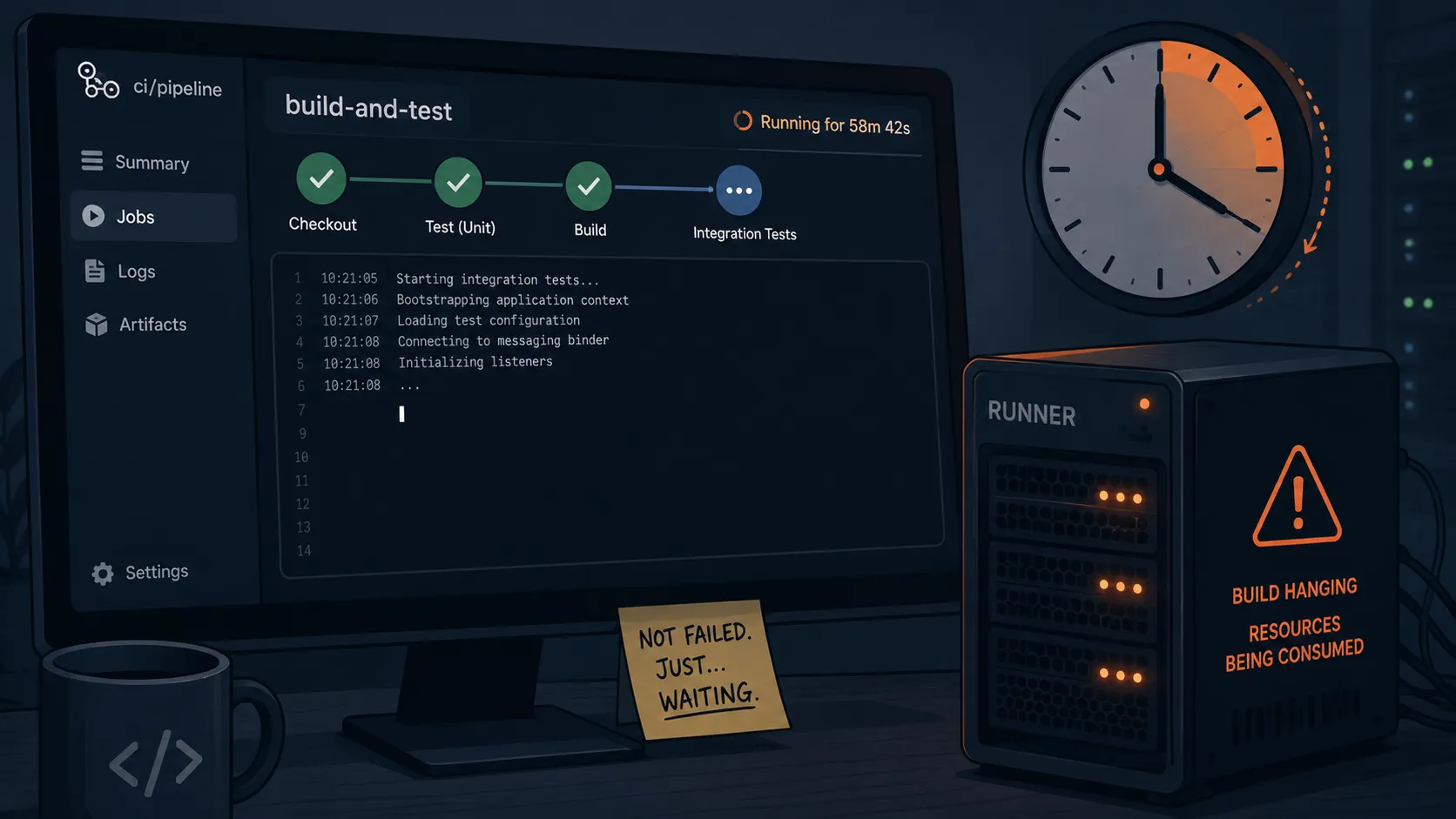
Table of contents
Open Table of contents
The short version
- An integration test hung silently, no error, no failure, just a runner burning until timeout.
- The logs were useless because nothing had gone wrong yet, it was simply stuck.
- A thread dump showed a thread blocked in a messaging client, retrying a connection forever.
- Root cause: the test tried to reach real infrastructure that did not exist in the test context.
- The fix was a test binder instead of a live broker, so the test needs no network to run.
The symptom: green, then nothing
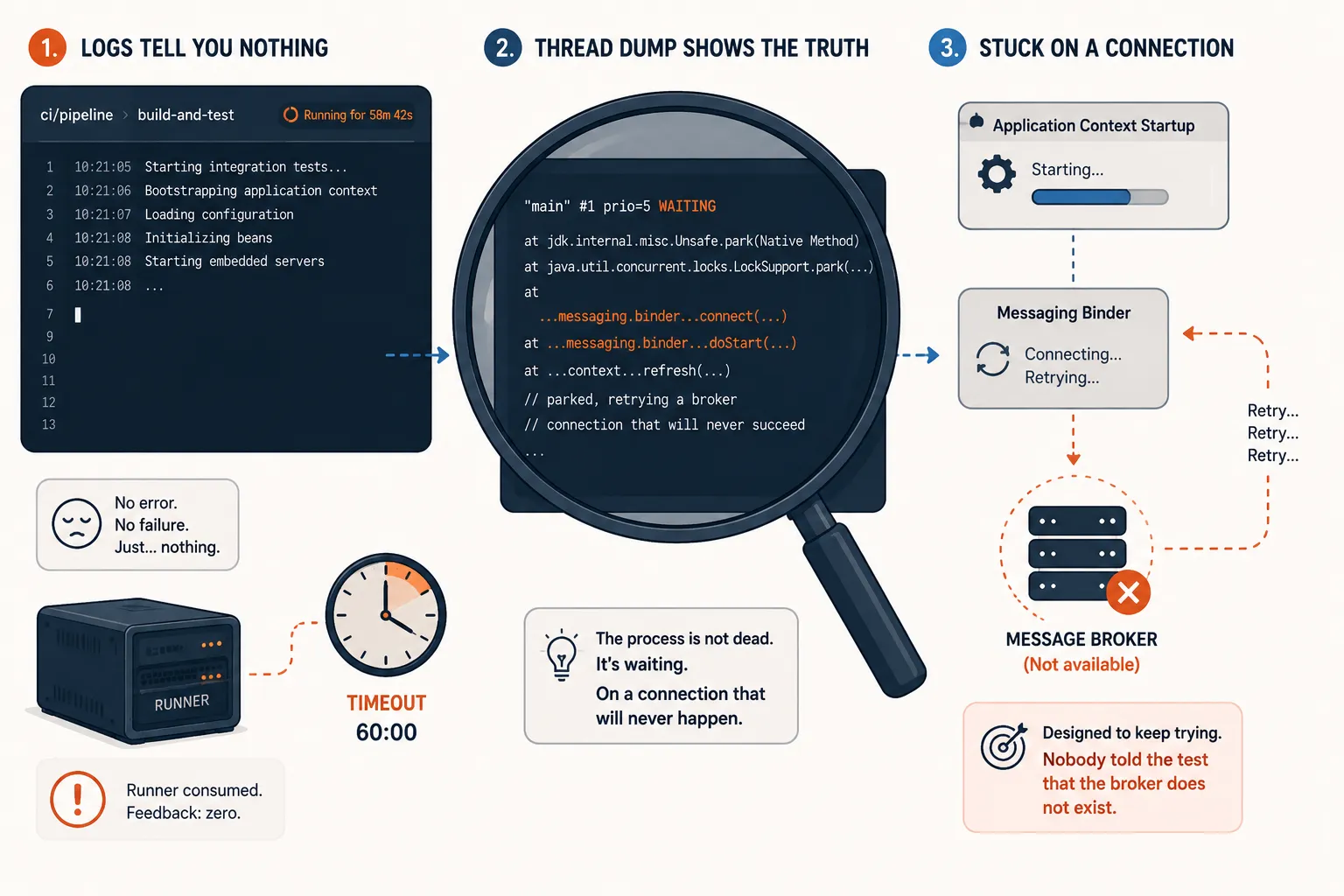
The pipeline looked normal until it did not. The unit tests passed. The integration suite kicked off, printed its usual startup noise, and then the log just stopped growing. No exception, no failed assertion, no stack trace. The job was not failing. It was not doing anything. It had the vital signs of a process that is technically alive and has quietly given up.
This is the trap of the hanging build. There is nothing to read, because in the model of the world the test framework has, nothing has gone wrong. A failure produces output. A hang produces a cursor blinking at the end of a log that stopped an hour ago.
Logs told me nothing, so I took a thread dump
When a process is stuck rather than broken, the logs are the wrong tool, because they only record things happening. What you want is a picture of what every thread is doing at the moment it is doing nothing. On the JVM that is a thread dump, and it is the single most underused debugging tool I know.
I grabbed one off the stuck process, and the story was right there. The important part is not the exact class name. It is the state: WAITING, parked deep inside connection startup.
"main" #1 prio=5 WAITING
  at jdk.internal.misc.Unsafe.park(Native Method)
  at java.util.concurrent.locks.LockSupport.park(...)
  at ...messaging.binder...connect(...)
  at ...messaging.binder...doStart(...)
  at ...context...refresh(...)
  // parked, retrying a broker connection that will never succeed
The main thread was not computing anything. It was parked, waiting on a messaging client that was trying to open a connection to a broker, and would keep trying, patiently, forever. The test had not failed to connect. It was still, at that very moment, connecting.
Root cause: the test tried to reach real infrastructure
Here is what had happened. The service uses a messaging binder, the kind that wires your code to a broker like Kafka or RabbitMQ. When the application context starts, that binder tries to establish its connection as part of coming up. In production that is exactly right, the broker is there.
In the test context there was no broker. A recent change had brought the messaging binding into a code path that the integration test exercised, and nobody had given the test anything to connect to. So the binder did what it is designed to do when a broker is temporarily unreachable: it retried, and waited, and retried, on the assumption that the broker would show up. It never would, because it did not exist. The test framework, meanwhile, was blocked waiting for the context to finish starting, which it never would either. Two very patient pieces of software, waiting on each other, until the timeout.
Nothing here threw an exception. Every component behaved correctly in isolation. The bug was that a test depended on live infrastructure and nobody had said so out loud.
The fix: a test binder, not a real broker
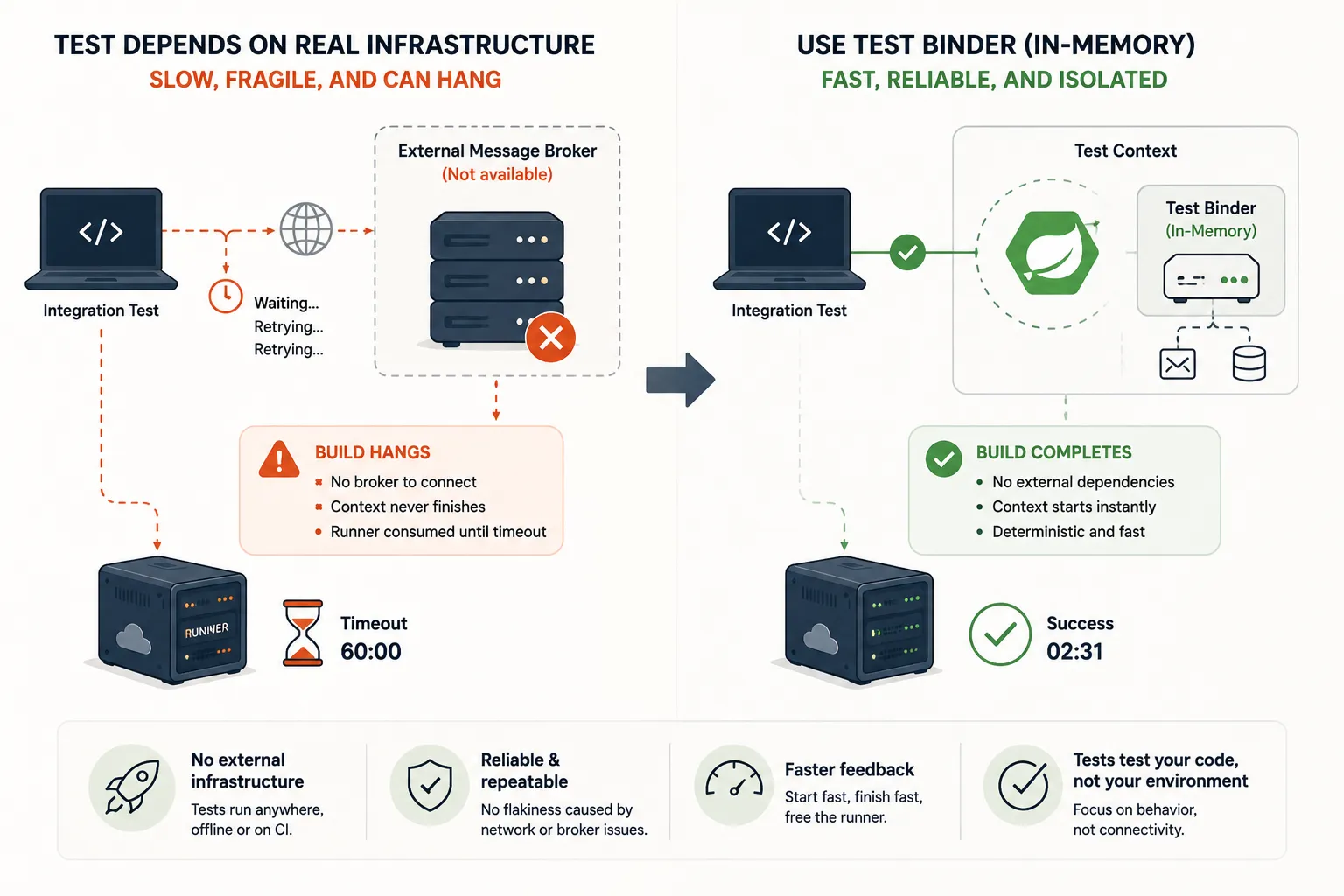
The right fix is not to point the test at a real broker. It is to make the test not need one. Messaging frameworks ship a test binder exactly for this: an in-memory implementation that satisfies the wiring without opening a socket to anything.
# test profile: bind messaging to the in-memory test binder,
# so the context starts with no broker and no network at all
spring.cloud.stream.default-binder: test
# and the dependency, test scope only
spring-cloud-stream-test-binderWith that in place the context starts instantly, the messaging wiring is satisfied by something that lives entirely in memory, and the test verifies behavior without depending on a broker being alive somewhere. It runs the same on my laptop, on a fresh runner, and offline on a plane. No infrastructure, no hang.
Why hanging is worse than failing
It is worth being precise about why this class of bug deserves special hatred.
| Failing build | Hanging build | |
|---|---|---|
| Signal | A stack trace, a line, a reason | A blinking cursor |
| Time to feedback | Seconds | However long your timeout is |
| Runner cost | Fails fast, frees the runner | Holds a runner hostage until timeout |
| Effect on the team | Fix it and move on | Learn to click retry and look away |
That last row is the real damage. A pipeline that hangs occasionally trains people to stop trusting it. They stop reading the output, because there is nothing to read, and they start reflexively hitting retry, hoping it was flaky. Once your team treats CI as a slot machine, you have lost the thing CI was for.
Two rules I kept
Tests must not depend on live infrastructure. If a test needs a broker, a database, or an external API to be reachable, use a test double, a binder, or a disposable container you control, never an ambient service that may or may not be there. A test that quietly reaches for real infrastructure is a hang waiting to happen.
When a build hangs, take a thread dump before you take a guess. Staring at a frozen log teaches you nothing. A thread dump tells you exactly what the process is stuck on, usually in one glance, and turns a mystery into a one-line root cause.
Final takeaway
The reason this one is worth writing down is that nothing was broken. Every piece did its job. The binder retried like it should, the framework waited like it should, and the sum of two correct behaviors was a build that burned an hour and told me nothing.
That is the shape of the worst CI problems. Not a loud failure you can chase, but a quiet stall in the gap between components that each think everything is fine. So build tests that carry their own world with them and depend on nothing ambient, and the next time something does get stuck, do not squint at the log. Dump the threads and let the process tell you where it is standing still.
A failing build is a conversation. A hanging build is a silence, and silence is the hardest thing to debug.