A lot of teams think they have observability because they have dashboards. They don’t. They have decoration.
Here’s an opinion I repeat a lot to the teams I work with: observability is not about how many graphs you have on a screen. It’s about whether you can answer a question you didn’t know you’d need to ask.
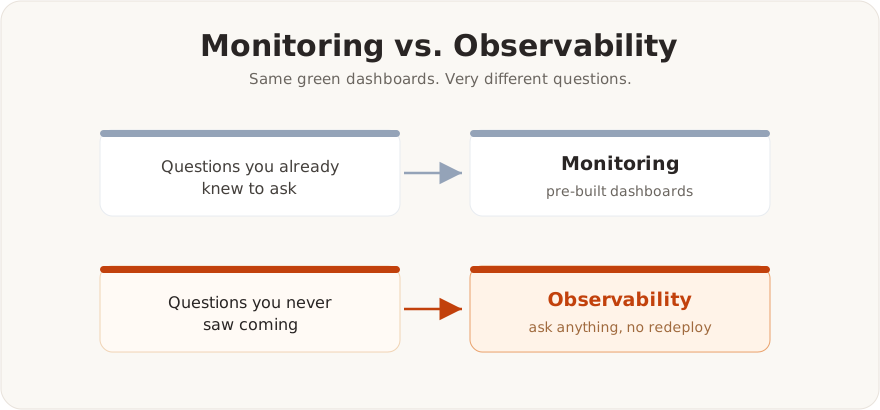
Table of contents
Open Table of contents
The dashboard trap
Dashboards are good at answering questions you already thought of. CPU is high? There’s a graph for that. Latency spiked? There’s a graph. Someone built those panels because, at some point, that metric mattered to somebody.
The catch is that real incidents almost never look like the dashboards you built ahead of time. The failures that actually hurt are the ones nobody predicted: a downstream dependency degrading in a way that only shows up as weird tail latency, a retry storm hiding inside a “healthy” success rate, one tenant quietly poisoning a shared queue.
When that happens, a wall of pre-built dashboards doesn’t save you. You end up staring at green panels while users are clearly in pain. That gap, green dashboards on one side and unhappy users on the other, is the moment you find out whether you have observability or just monitoring.
Monitoring vs. observability
The difference is simple, even though the tooling industry loves to blur it.
Monitoring answers questions you already know to ask. “Is the disk full?” You decided ahead of time that disk usage matters, so you watch it.
Observability lets you ask new questions about your system without shipping new code. “Which customer, on which API version, calling which endpoint, is behind this latency increase that started twelve minutes ago?”
You can’t pre-build a dashboard for every shape of that question. What you can do is emit data rich enough (high cardinality, well structured, correlated) to slice it however you need when the moment comes.
What actually makes a system observable
In my experience, three things matter far more than how many dashboards you have:
- Rich, structured events. Wide events with many dimensions (customer ID, region, version, route, dependency) beat a pile of low-cardinality counters. You want to group by something you never thought of in advance.
- Correlation across signals. A trace that links to its logs, which link to the metrics for that service, which tie back to a specific deploy. If you’re copy-pasting timestamps between three tools in the middle of an incident, that’s not observability, that’s homework.
- Questions over dashboards. The real test: can an on-call engineer who has never seen this failure before explore their way to the root cause? If the answer depends on someone having built the right panel last quarter, you’re betting reliability on luck.
A simple test for your team
Next time you’re in an incident review, ask one question:
Could we have answered this with data we already had, without deploying anything new?
If the answer is “no, we had to add logging and wait for it to happen again,” that’s not a tooling problem. That’s an observability gap, and more dashboards won’t close it.
Closing thought
Dashboards are the output. They’re useful, and I build plenty of them. But they answer yesterday’s questions. Observability is the ability to answer tomorrow’s.
Build for the questions you can’t predict yet. The version of you debugging the next incident will be grateful.